- SceneKit, ARKit and Swift 4 – Basics Tutorial – Part 2 – Hit Testing

SceneKit, ARKit and Swift 4 – Basics Tutorial – Part 2 – Hit Testing
In this second video in our SceneKit and ARKit basics series, we’ll look at a few SCNActions used to delay adding content to the scene, and most importantly, we’ll talk about hit testing. By the end of the video, you’ll be able to tap the screen, detect whether you touched the ball node (set up from the previous lesson) and apply a physics impulse to it.
Hosts: Justin Dike
Subscribe to this Podcast on iTunes4 January 2018, 9:54 pm - SceneKit and ARKik – Basics Tutorial – Part 1

SceneKit and ARKik – Basics Tutorial – Part 1
In this first video tutorial using the ARKit and SceneKit template, we’ll remove the starting assets and build a simple box and ball scene. We will use Swift 4 to program the ball to have a physics body affected by gravity so it then drops onto the box, which has a static physics body. You’ll learn how to setup objects in the Scene Editor, then enumerate through the children in the scene to find those objects by name with Swift. We’ll also discuss some debug options, like seeing the world origin, physics bodies, and augmented reality feature points.
Hosts: Justin Dike
Subscribe to this Podcast on iTunes3 January 2018, 6:50 pm - Adobe Animate CC 2018 Basics – Selection and Subselection Tool

Adobe Animate CC 2018 – Basic Tutorials – Part 1
In this Adobe Animate basics video tutorial, we’ll discuss the selection and sub-selection tools, which are essential for manipulation vector points in the program (as well as selecting things). We’ll also cover some helpful preferences (like contact-sensitive selection) and some other beginner concepts.
Subscribe to this Podcast on iTunes21 December 2017, 7:24 pm - How to Ink, then Shade a Clothing Heavy Comic Book Character – Part 2

How to Ink then Shade a Clothing Heavy Comic Book Character – Part 2
In this second video we’ll ink and shade the clothing of the character we sketched in part 1.
Subscribers can continue watching Part 3 in this series here.
Subscribe to this Podcast on iTunes1 February 2017, 6:49 am - How to Ink then Shade a Clothing Heavy Comic Book Character – Part 1

How to Ink then Shade a Clothing Heavy Comic Book Character – Part 1
The initial sketch of a comic book character illustration we’ll color and shade in future video tutorials. Recorded in real time.
Subscribe to this Podcast on iTunes31 January 2017, 8:35 pm - How to Draw, Shade and Color a Male Comic Book Character’s Face using Procreate

How to Draw, Shade and Color a Male Comic Book Character’s Face using Procreate
A fun off-the-cuff video tutorial on how to draw using Procreate and (optionally) an iPad Pro. This lesson I’ll draw a comic book style male character in a typical “stare down” pose. Recorded in real time (not a speed drawing).
Subscribe to this Podcast on iTunes31 January 2017, 6:17 pm - Build an iMessage App Part 14 – Adding a Resend Button
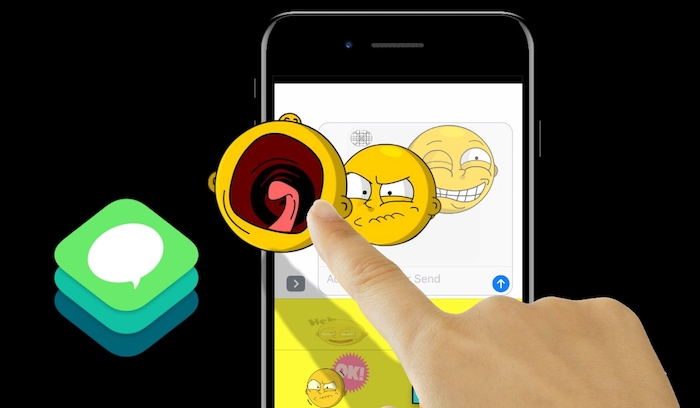
Build an iMessage App Part 14 – Adding a Resend Button
Finally we’ll polish off the tutorial series by adding a resend button to the app. This way once a user has completed their masterpieces and saved them, all they’ll need to do on the intro screen is scroll to their previously saved image and hit resend.
Hosts: Justin Dike
Subscribe to this Podcast on iTunes24 January 2017, 4:26 am - Build an iMessage App Part 13 – Refining the Picker Wheels
Build an iMessage App Part 13 – Refining the Picker Wheels
In this Swift 3 video tutorial, we’ll make the picker columns / components respond more intuitively.
Hosts: Justin Dike
Subscribe to this Podcast on iTunes23 January 2017, 4:21 am - Build an iMessage App Part 12 – Adding the “Sayings” Images
Build an iMessage App Part 12 – Adding the “Sayings” Images
In this video we’ll add the secondary image to the image container.
Hosts: Justin Dike
Subscribe to this Podcast on iTunes22 January 2017, 4:18 am - Build an iMessage App Part 11 – Scaling with a UISlider and Saving the Scale to User Defaults
Build an iMessage App Part 11 – Saving the Image to Send as an MSMessage and as Data to Retrieve
In this Swift 3 tutorial we’ll save everything in our image container as data (which can be saved to the User Defaults), then insert the image into the conversation as an MSMessage.
Hosts: Justin Dike
Subscribe to this Podcast on iTunes21 January 2017, 3:16 am - Build an iMessage App Part 10 – Scaling with a UISlider and Saving the Scale to User Defaults
Build an iMessage App Part 10 – Rotating with a UISlider and Going Back to Intro Screen
In this video tutorial, we’ll rotate the main emoji image using a UISlider, then write the Swift 3 code to go back to the initial starting screen of the app
Hosts: Justin Dike
Subscribe to this Podcast on iTunes20 January 2017, 3:11 am - More Episodes? Get the App